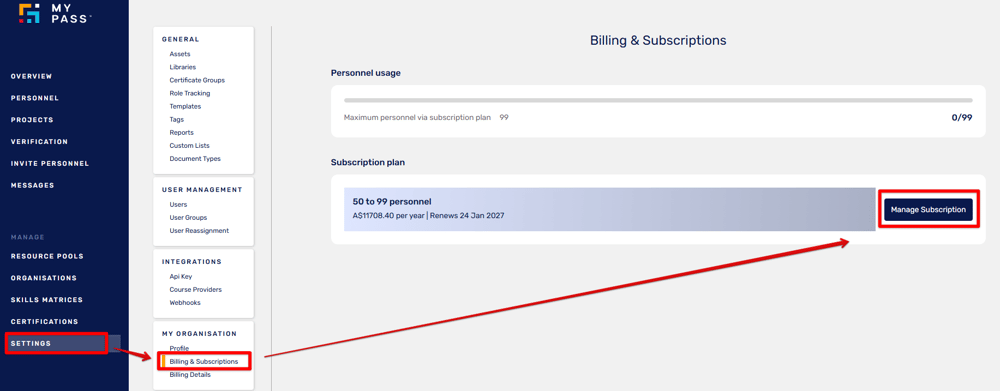
Log in to your MyPass portal. From the side menu, click Settings and select Billing & Subscriptions. Click Manage Subscription.
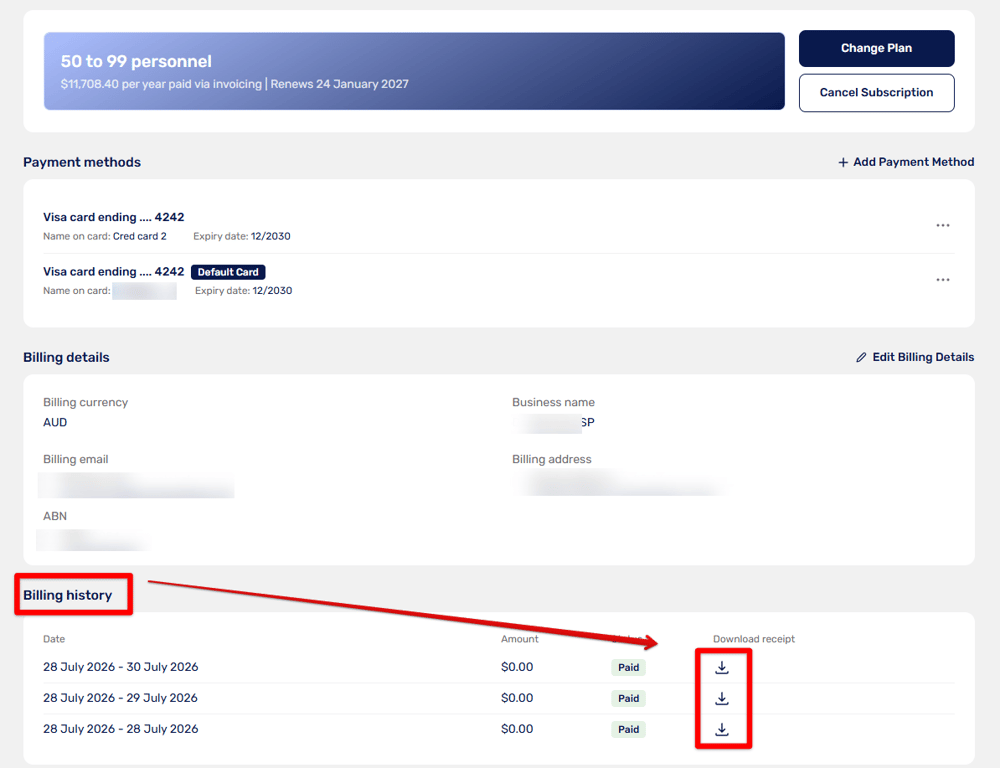
Scroll down to Billing History. Locate the receipt for the date you need and click the download icon to download it.
Note: If you cannot find the invoice in Billing History, go to Settings and select Billing Details. Go to Past Receipts, locate the receipt you need and click the download option to save a copy.
Updated
Comments
0 comments
Please sign in to leave a comment.