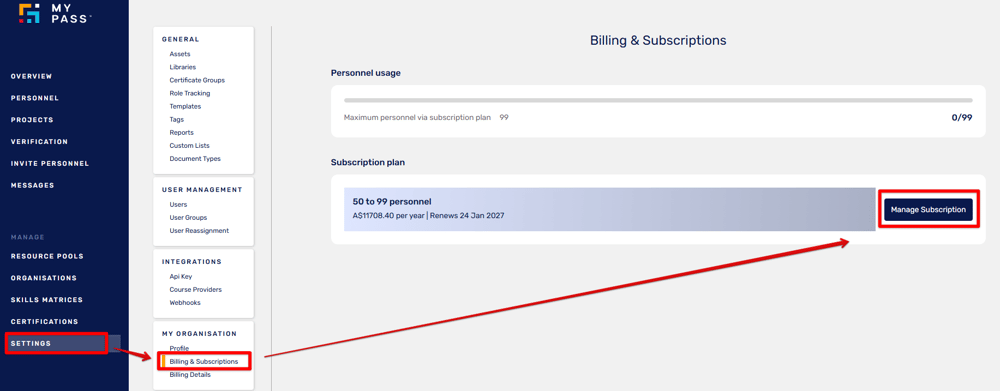
Log in to your MyPass portal. From the side menu, click Settings and select Billing & Subscriptions. Click Manage Subscription.
Add a Payment Method
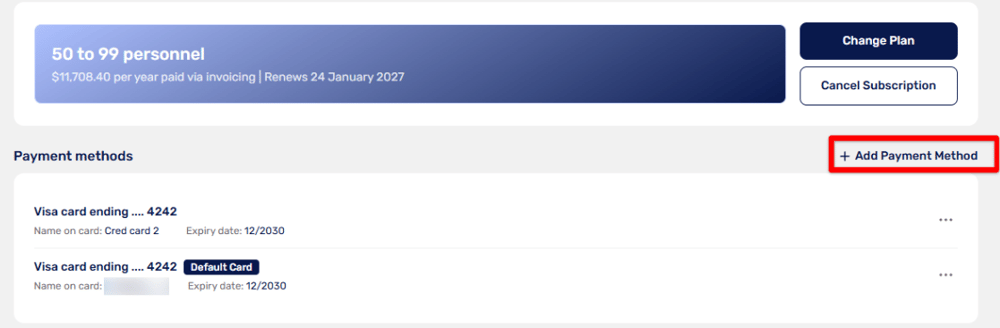
Click + Add Payment Method.
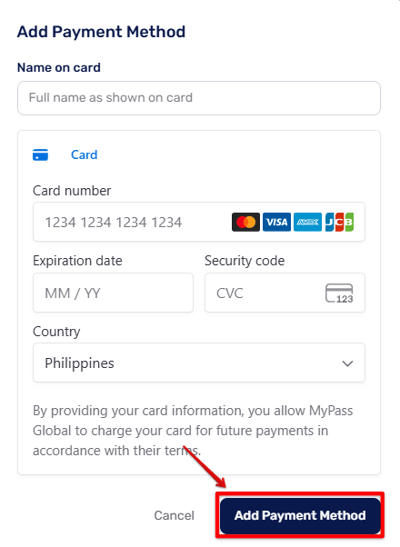
Enter the full name as shown on the card, card number, expiration date, security code, and country. Click Add Payment Method.
Change Default Payment Method
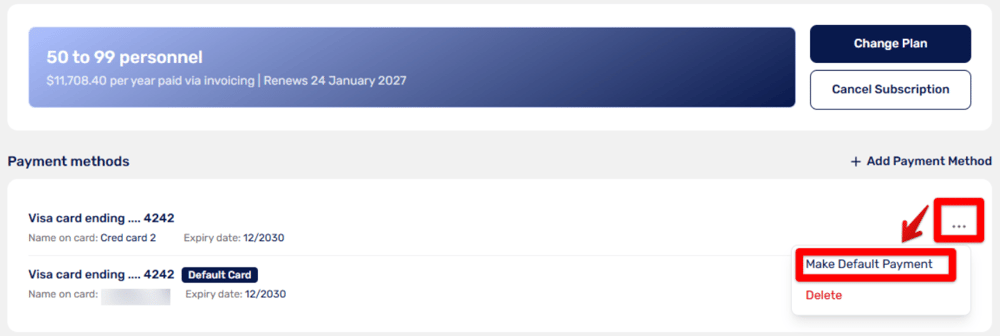
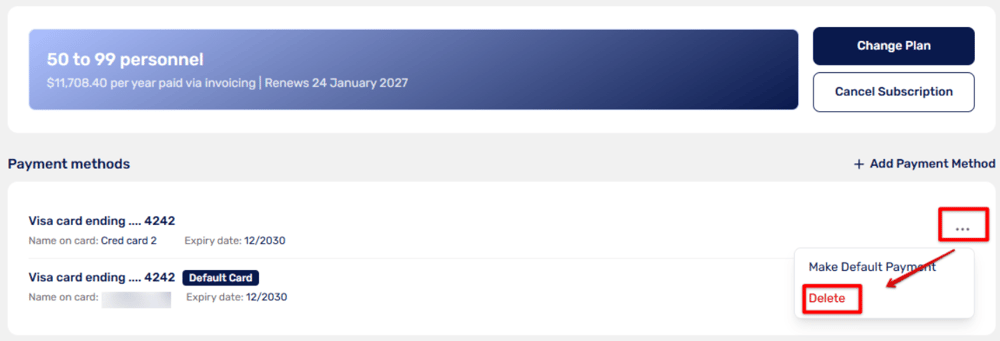
Click the ellipsis (...) icon next to the payment method you want to set as default. Click Make Default Payment. The selected card will display a Default Card label.
Delete a Payment Method
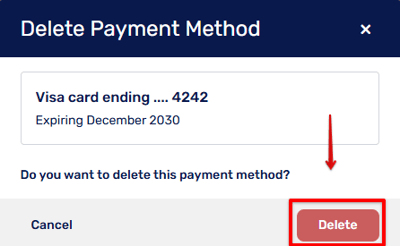
Click the ellipsis (...) icon next to the payment method you want to remove. Click Delete and review the payment method details shown in the prompt.
Click Delete again to confirm.
Note: If you are paying by credit card, you must have at least one other payment method on file before deleting one.
Updated
Comments
0 comments
Please sign in to leave a comment.